Instagram Mute vs Block vs Restrict (2026)
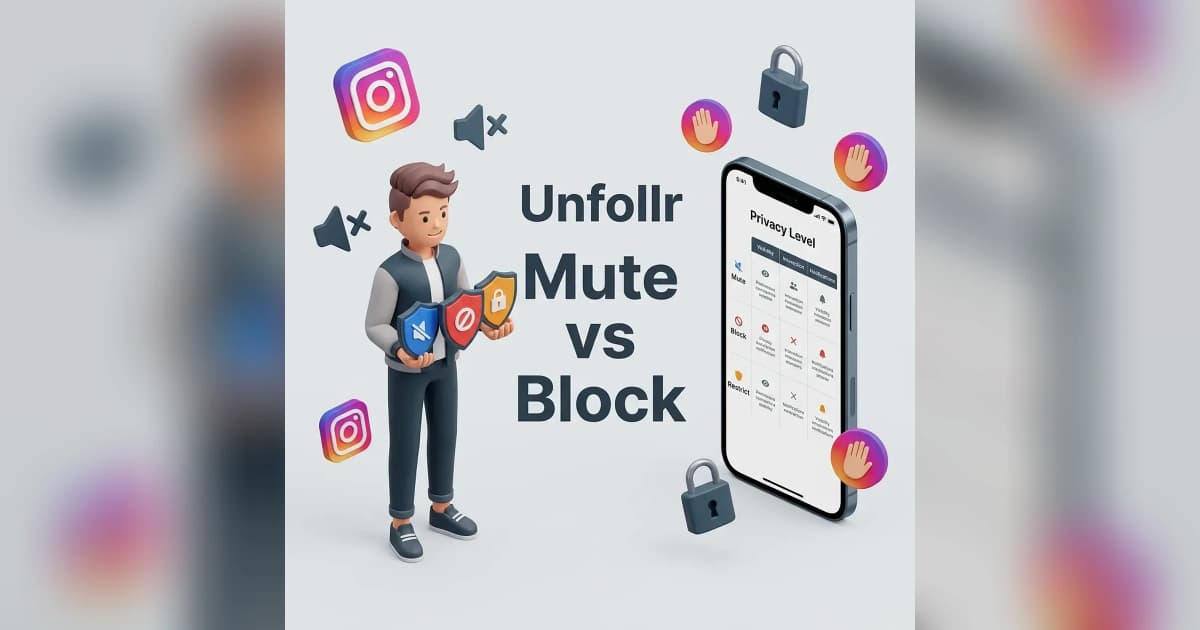
Instagram offers three ways to handle unwanted accounts in 2026: mute (silent, you stop seeing them), restrict (silent, others stop seeing their comments on you), and block (total severance, they figure it out). Most people use the wrong one for the wrong situation. This guide breaks down exactly what each does and when to pick which.
Quick Comparison
| Feature | Mute | Restrict | Block |
|---|---|---|---|
| They know | Never | Almost never | Eventually |
| You see their content | No | Yes | No |
| They see your content | Yes | Yes | No |
| DMs from them | Normal | Filtered to Requests | Blocked |
| Their comments on your posts | Visible | Hidden from others | Removed |
| Mutual follow status | Stays | Stays | Severed |
| Use case | Annoying friends | Borderline harassment | Stalking, threats |
If you only remember one rule: mute is for you, restrict is for them, block is for everyone.
What Mute Actually Does
Mute is the gentlest tool. It's invisible to the other person and only changes what you see.
What Mute Hides From You
- Posts — disappear from your feed
- Stories — removed from the top bar
- Reels — won't show up in your suggested Reels
- Notes (the text Notes feature) — disappear from your inbox
What Mute Does NOT Do
- Doesn't unfollow them
- Doesn't hide their messages
- Doesn't hide their comments on your posts
- Doesn't remove them from your followers
- Never notifies them
You can mute posts only, stories only, or both — granular control matters here.
When to Use Mute
- Friends who post too much — you don't want to unfollow but their content is overwhelming
- Family members with strong political opinions you'd rather not see
- Influencers you followed for one piece of content but who now post constantly
- Coworkers whose personal feed you don't want in your face
Muting is the digital equivalent of looking the other way at a party. Nobody notices.
How to Mute Someone
- Go to their profile
- Tap Following
- Select Mute
- Choose Posts, Stories, Notes, or any combination
You can also mute directly from a post: tap the three-dot menu and select Mute.
What Restrict Actually Does
Restrict is the most underused tool on Instagram. It's specifically designed for soft harassment — comments and DMs from people you can't fully cut off.
What Restrict Does
- Their comments on your posts become visible only to them (you can choose to approve them publicly or delete)
- Their DMs go to your Message Requests folder, no notification
- They can't see when you're online
- They can't see read receipts on messages from them
- Their direct interactions with you become semi-invisible to others
What Restrict Does NOT Do
- Doesn't remove them as a follower
- Doesn't stop them from seeing your posts
- Doesn't stop them from sending DMs (just routes them silently)
- Doesn't notify them
The clever part: from their perspective, everything looks normal. They post a comment, see it on your post (only they can see it), and don't realize nobody else can. They send a DM and assume you're ignoring them like everyone else.
When to Use Restrict
- Trolls who haven't crossed the line into block-worthy territory
- Family members whose drama you want to avoid without confrontation
- Exes who keep commenting but aren't threatening
- Coworkers or classmates you can't fully cut off socially
- Borderline harassers where blocking might escalate things
For the full breakdown of blocking vs restricting in conflict situations, see what happens when you block someone on Instagram.
How to Restrict Someone
- Go to their profile
- Tap the three-dot menu
- Select Restrict
- Confirm
You can also restrict from a comment they left — swipe left on the comment and tap the ! icon, then select Restrict.
What Block Actually Does
Block is the nuclear option. Total severance, both directions.
What Block Does
- Removes them as a follower
- Unfollows them on your behalf
- Hides your profile from their searches and feed
- Blocks all DMs (existing threads stay, new ones impossible)
- Removes their likes and comments from your posts
- Hides your Stories, Reels, posts, and tags from them entirely
Does Block Send a Notification?
No — Instagram never notifies blocked people. But unlike mute and restrict, they figure it out eventually because your profile becomes "User not found" when they search.
When to Use Block
- Stalkers or anyone you fear physically
- Threats or harassment you've documented
- Scammers trying to phish you
- Sextortion attempts
- Repeated harassment from people who created multiple accounts (Instagram's "block any new accounts they create" option helps here)
For a detailed walk-through of the block flow and what blocked people see, see what happens when you block someone on Instagram.
Which Should You Choose?
A simple decision tree:
- Are you in physical danger or being threatened? → Block. Document evidence first.
- Are they sending unwanted DMs or comments but not threatening? → Restrict.
- Do you just not want to see their content? → Mute.
- Is it a family member or coworker you need to keep peace with? → Mute or restrict, never block.
- Are they spam or bots? → Report first, then block.
Common Mistakes People Make
Using Block When Restrict Would Be Enough
Blocking exes or family members often creates more drama than it solves. Restrict gives you privacy without the social fallout of an obvious cut.
Muting When You Should Restrict
If someone is leaving toxic comments on your posts, muting won't help — your followers still see those comments. Restrict hides them from everyone.
Blocking Without Documenting Harassment
If you're dealing with harassment that might escalate, screenshot everything before blocking. Once you block, you lose access to old DMs and you may need them later for reports.
Forgetting to Report Spam Accounts
Muting or blocking spam doesn't help Instagram's broader moderation. Always report first, then block. This trains Instagram's bot-detection system. For mass cleanup, see our how to remove fake followers on Instagram guide.
What About "Soft Block"?
A soft block is unofficial — it means you block someone, then immediately unblock them. The result: they're no longer following you and you're no longer following them, but neither of you is permanently blocked.
It's a workaround for "I want them to unfollow me without confrontation." After the soft block:
- Both follow relationships are reset
- They can re-follow you if they notice
- No notification is sent
It's commonly used for ex-friends, exes, and people from old phases of life.
Privacy Implications of Each
| Tool | Privacy Strength | Social Cost |
|---|---|---|
| Mute | Low (you only) | None |
| Restrict | Medium (filters their interactions) | Almost none |
| Block | High (full severance) | Visible eventually |
If your account-wide privacy is your main concern, see our Instagram privacy settings guide for the broader settings that protect everything at once.
How to See Who You've Muted, Restricted, or Blocked
Muted accounts
- Go to Settings > Notifications > Muted Accounts
Restricted accounts
- Go to Settings > Privacy > Restricted Accounts
Blocked accounts
- Go to Settings > Privacy > Blocked Accounts
Review these lists every few months. You may have muted or restricted people years ago who no longer need it. Cleaning these lists also helps Instagram's algorithm recommend better content.
Reference
For Instagram's official documentation on these tools, see the Instagram Help Center on blocking, restricting, and reporting.
FAQ
What's the difference between mute and block on Instagram?
Mute hides someone's content from your feed silently — they don't know. Block severs all connection, removes them as a follower, and makes your profile invisible to them.
Does Instagram notify people when you restrict them?
No. Restrict is silent. From their perspective, their comments and DMs still appear normal — they just don't reach anyone else.
Can a restricted person still send me DMs?
Yes, but their messages go to your Message Requests folder without a notification. You see them only when you check that folder.
Will muting someone unfollow them?
No. Mute keeps the follow relationship intact. It only changes what you see.
Can I restrict someone without them knowing?
Yes. Restrict is designed to be invisible to the other person.
Should I block or restrict a stalker?
Block. Document the harassment first by screenshotting everything, then block and consider reporting to Instagram and authorities if applicable.