What Happens When You Block Someone on Instagram (2026)
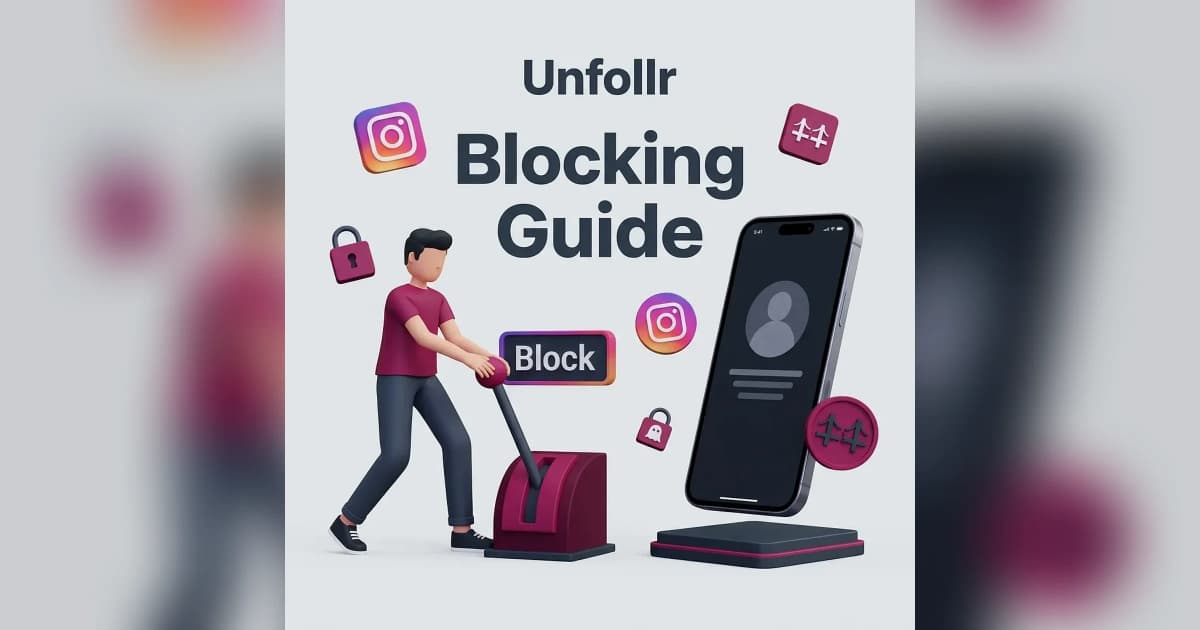
When you block someone on Instagram in 2026, they instantly lose the ability to find your profile, see your posts, message you, or interact with your content in any way — but Instagram never sends them a notification. They figure it out indirectly when your profile suddenly looks empty or shows "User not found."
This guide walks through exactly what blocking does, what stays visible, what disappears, and how it differs from muting or restricting.
What Blocking Actually Does
Blocking is Instagram's strongest privacy tool. It severs the connection between two accounts in both directions — neither person can see or interact with the other.
The Instant Effects
The moment you tap Block, Instagram performs all of these actions at once:
- Removes them as a follower — even if they were following you
- Removes you as someone they follow — even if you were mutual
- Hides your entire profile from their searches and feed
- Blocks all DMs between you (existing chats stay, but they can't send new messages)
- Removes likes and comments they left on your posts (they stay invisible to that user)
- Blocks tags and mentions — they can't tag you in posts, Stories, or Reels
- Hides your Stories and Reels from their account permanently
It's the cleanest cut Instagram offers. There's no halfway state.
What the Blocked Person Sees
This is the part most people get wrong. Blocking isn't invisible — it's unannounced. The blocked person sees evidence, just not a banner.
When They Search for Your Profile
| Scenario | What They See |
|---|---|
| Search by username | "User not found" or no results |
| Open old DM thread | Profile picture grayed out, name hidden |
| Tap your name in old comment | "User not found" |
| Open shared post link | "Sorry, this page isn't available" |
When They Try to Message You
Existing DM threads remain visible to them, but:
- Your profile picture changes to a default gray silhouette
- Your name disappears or shows as "Instagram User"
- Any new messages they send fail silently — Instagram shows them as "Sent" but you never receive them
- They cannot create a new chat with you
For more on Instagram's messaging rules, see our Instagram privacy settings guide.
What Blocking Does NOT Do
- No notification is sent to the blocked person
- Old screenshots of your posts they already took remain on their device
- Mutual friends can still see both of your accounts and your posts
- Public reposts of your content from other accounts remain visible to them
Does Blocking Actually Send a Notification?
No. Instagram has never sent block notifications, and that hasn't changed in 2026. The blocked person figures it out by trying to find your profile and seeing it disappear.
This is intentional — Instagram (like most platforms) doesn't want to escalate interpersonal conflict by formally announcing blocks.
How Long Does a Block Last?
A block is permanent until you manually unblock the person. There's no expiration, no automatic reset, no time limit. If you block someone today and never unblock them, they stay blocked forever.
You can unblock and re-block as many times as you want, but Instagram limits how often you can re-follow someone right after unblocking — see the section below.
Block vs Mute vs Restrict: Which Is Right?
Blocking is the nuclear option. Instagram offers two softer alternatives that serve different purposes.
| Action | What It Does | When to Use |
|---|---|---|
| Block | Total severance, mutual unfollow, no DMs | Stalkers, harassment, exes you want zero contact with |
| Mute | Hides their content from your feed, they don't know | Annoying friends, oversharers you can't unfollow |
| Restrict | Hides their comments from others, soft-block DMs | Borderline harassers, drama avoidance |
The table above breaks down when to reach for each: block for a total, two-way severance; mute to quietly hide someone's content without them knowing; and restrict to limit a borderline account's interactions without confrontation.
How to Block Someone on Instagram
Two methods work in 2026:
Method 1: From Their Profile
- Open the person's profile
- Tap the three-dot menu in the top right
- Select Block
- Confirm by choosing whether to also block any new accounts they create
Method 2: From a DM
- Open the chat with the person
- Tap their name at the top
- Scroll down and tap Block
- Confirm
The second option (block any new accounts they create) is powerful — Instagram tries to detect when the same person creates a new account and blocks those preemptively. It's not perfect, but it helps in cases of repeated harassment.
How to Unblock Someone
If you change your mind:
- Go to Settings > Privacy > Blocked Accounts
- Find the person in your blocked list
- Tap Unblock
- Confirm
After unblocking, neither of you automatically re-follows the other. You'll both need to send a follow request again if you want to reconnect.
Will They Know I Unblocked Them?
No notification is sent when you unblock either. They just regain the ability to see your profile and search for you. If they actively check, they'll notice your profile reappears — but Instagram never tells them directly.
Common Misconceptions About Blocking
"Blocking deletes our DM history"
False. Old messages remain visible to both people. Block doesn't delete history — it just prevents new messages.
"Blocking unblocks itself after 24 hours"
False. Blocks are permanent until manually undone. There's no auto-expiration.
"If I block them, they can't see my public posts at all"
True for direct visits, but they can still see your public posts if a third account reposts them or someone shares a screenshot.
"Blocking removes their old likes from my posts"
True — likes and comments from blocked accounts disappear from public view.
"I can re-follow someone immediately after unblocking"
Partially true. Instagram sometimes throttles follows after unblocks to prevent harassment loops. Wait at least 48 hours before re-following if you ran into limits. For more on follow throttling, see our Instagram follow and unfollow limits guide.
When to Block vs When to Restrict
Blocking is overkill for most situations. Use it when:
- You want zero possibility of contact
- The person is harassing or threatening you
- You're dealing with a stalker, ex, or scammer
- They've created multiple accounts to bypass earlier blocks
Use Restrict instead when:
- You want to avoid drama without confrontation
- They're a family member or coworker you can't fully cut off
- Their comments are toxic but you don't want to escalate
- You want to silently moderate their interactions
What If Someone Blocks Me?
If you suspect you've been blocked:
- Search their username — if it returns "User not found" but you can find them when logged out, you're blocked
- Check old DM threads — if their profile picture is gray and their name is hidden, you're blocked
- Try tagging them — if your tag fails or doesn't autocomplete, you're blocked
There's no recovery — only the person who blocked you can unblock. Don't message them through alternate accounts; that often counts as harassment under Instagram's terms.
How to See All Accounts You've Blocked
- Go to Settings > Privacy > Blocked Accounts
- Scroll through the full list
Review this list every few months. People you blocked years ago for minor reasons may no longer need to be blocked, and blocked lists clutter Instagram's internal recommendations.
For information on Instagram's official blocking policies, see Instagram's Help Center on blocking people.
Should You Block Bots and Spam Accounts?
Yes, but it's more efficient to report them first. Reporting flags the account for Instagram's moderation team, and a block follows automatically. For mass spam removal, see our how to remove fake followers on Instagram guide.
If you've been getting bot waves, Unfollr is a safe way to spot suspicious follower patterns. It's a web app that reads the official Instagram data export you download yourself — it never asks for your password or logs into your account, so there's nothing that can put your account at risk. Start a free follower check.
FAQ
Does Instagram notify someone when you block them?
No. Instagram never sends a block notification. The blocked person figures it out indirectly when your profile becomes invisible to them.
Can blocked people still see my public posts?
No — not directly. Your profile and posts vanish from their account entirely. They might see your content through screenshots or reposts on other accounts.
Do blocked accounts still count as followers?
No. Blocking automatically removes them as a follower and removes you as a follow.
Can I block someone who doesn't follow me?
Yes. Blocking works regardless of the follow relationship.
What happens to old DMs when I block someone?
Existing chat threads remain visible to both people, but no new messages can be sent in either direction.
Can I block more than one account from the same person?
Yes — Instagram offers an option to block any new accounts the person creates, which catches obvious alts automatically.