Why Did I Lose Followers on Instagram? (2026)
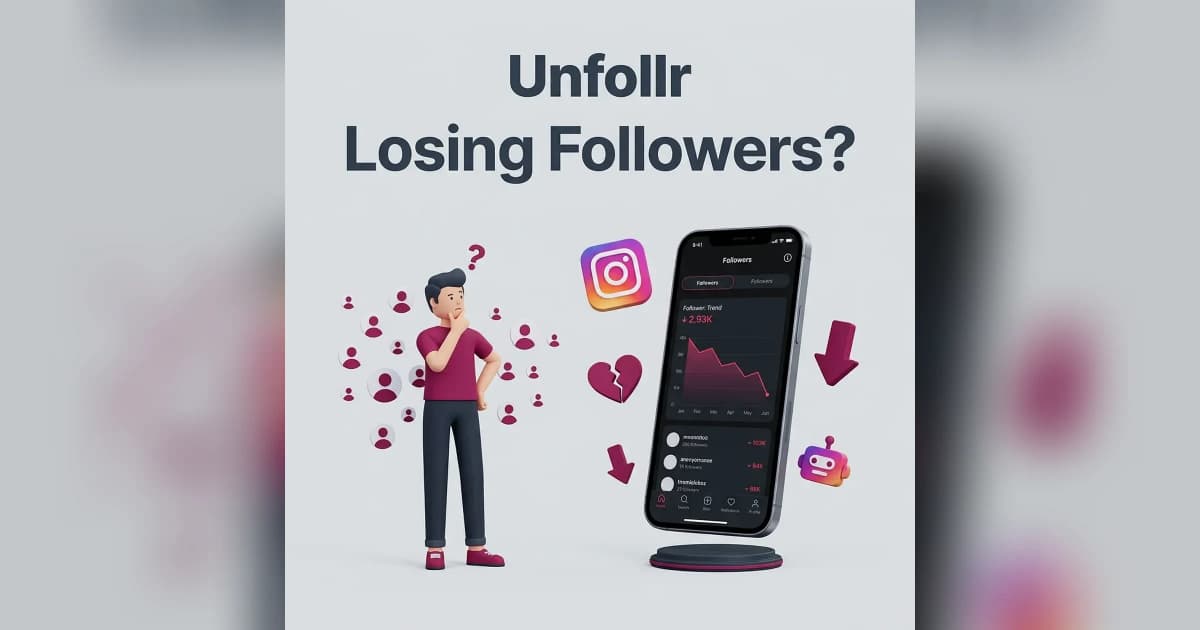
If you're asking why did I lose followers on Instagram in 2026, the answer is almost always one of ten things — Instagram bot purges, content pivots, shadowbans, posting gaps, algorithm shifts, a controversial post, follow-for-follow unwinding, account security issues, platform-wide trust score changes, or simple audience churn.
The good news: most follower drops are fixable or normal. The bad news: a few of them are warnings you shouldn't ignore. This guide walks through every common cause, how to identify which one hit you, and what to do next.
The 10 Real Reasons You Lost Followers on Instagram
Every follower drop has a cause. Here's the full list, ranked by how common each one is in 2026.
1. Instagram Bot Purge
Instagram regularly removes spam accounts, bots, and disabled profiles from the platform. When it does, every creator loses a chunk of followers overnight — even though nobody actually unfollowed them.
Signs it's a bot purge:
- Sudden 1-5% drop across your account in one day
- Happens at the same time for other creators in your niche
- Engagement rate actually goes up afterward (because the purged accounts were dead weight)
This is a good thing. A cleaner audience means stronger algorithm signals going forward. Read more in our Instagram ghost followers guide.
2. You Pivoted Your Content
If you changed your niche — from fitness to cooking, from memes to business tips — your existing audience won't care about the new content. They unfollow, and it looks like a bleed. This is normal.
A content pivot costs 5-20% of followers in the first 60 days. The ones who stay are more engaged, so your engagement rate usually recovers within 3 months.
3. You Got Shadowbanned
A shadowban suppresses your reach. You don't lose followers directly — but as your content stops reaching non-followers and even some of your existing audience, dormant followers who were going to unfollow eventually see nothing from you and do it now.
Diagnose and fix it with our Instagram shadowban guide.
4. You Stopped Posting Consistently
Instagram's algorithm penalizes returning creators. If you took a 2-week break, your next few posts get reduced reach. Some followers won't see you and forget you exist. Others see your sudden return and unfollow the "inactive" account they forgot about.
Consistency is the single biggest predictor of retention. Even posting 3 times a week beats bursts followed by silence.
5. Algorithm Changes Exposed Weak Content
When Instagram pushes a new ranking update (Reels-first, original-content prioritization, etc.), accounts that don't adapt see reach collapse. Followers scroll past content that stops appearing in their feed and, over weeks, unfollow. Details in our Instagram algorithm 2026 guide.
6. A Specific Post Turned People Off
Controversial posts, political content, overly promotional captions, or a sudden style change can trigger unfollows in the hours after posting. Check your Insights — if one post coincides with your drop, that's probably it.
Sometimes this is fine (you're attracting a more aligned audience). Sometimes it's a signal you went off-brand.
7. Follow-for-Follow Unwinding
If you ever participated in follow-for-follow, engagement pods, or buying followers, those accounts eventually unfollow when the deal ends or they clean their own lists. A slow bleed from bought followers can last months.
The only cure is to accept the drop and stop the behavior that caused it.
8. Your Account Got Flagged for Suspicious Activity
If Instagram's system thinks your account has been hacked or is running automation, it will warn followers and recommend unfollows. Check Settings → Security → Recent Login Activity for unknown logins. If something looks wrong, read our hacked Instagram account recovery guide.
9. A Trust Score Drop
Instagram assigns accounts an invisible trust score based on how often they get reported, shadowbanned, or action-blocked. A falling trust score means your content reaches fewer people, which triggers the same passive follower loss as a shadowban — but over weeks instead of days.
Action blocks on the following list (like going over daily unfollow limits) can tank trust score.
10. Normal Audience Churn
Every Instagram account loses roughly 0.5-2% of followers per month, permanently, to natural churn. People delete Instagram, switch accounts, or simply lose interest. On a 10K account, losing 50-100 followers a month is baseline — nothing is wrong.
How to Find Out Exactly Why
Don't guess — diagnose. Here's the workflow to identify your specific cause.
Step 1: Track the Timing
Check your Insights → Audience → Followers tab for a day-by-day follower count trend. A cliff means something specific happened. A slope means a slow cause.
Step 2: Correlate with Posts
Look at what you posted in the 48 hours before the drop. Did one post get abnormally low engagement? Did you change topics? Did you post something political?
Step 3: Check for a Shadowban
Tap a hashtag you used recently and search for your post. If it doesn't show up in "Recent" despite being new, you're likely shadowbanned.
Step 4: Identify Who Left
Use a tracker like the Unfollr web app to see exactly which accounts unfollowed you — it works from your official Instagram data export, with no password required. If they're all bots or inactive accounts, it was a purge. If they're real accounts that used to engage, something about your content drove them away.
For a comparison of the best trackers, see our Instagram unfollow tracker apps roundup.
Step 5: Check for Account Issues
Review Settings → Account Status. Instagram now shows a dashboard of any recent enforcement actions, content restrictions, or policy warnings. Fixing these is often the fastest way to stop the bleed.
How to Stop Losing Followers
Once you know the cause, apply the matching fix.
If It's a Bot Purge
Do nothing. Your remaining audience is higher quality. Engagement rate will climb.
If It's a Content Pivot
Commit to the pivot. The losses are permanent but so are the wins — the new audience will be tighter and more engaged. Give it 60-90 days before judging.
If It's a Shadowban
Follow the full recovery process in our shadowban fix guide.
If It's Inconsistency
Commit to a realistic cadence and hit it for 21 days. Instagram rebuilds trust slowly — reach returns gradually.
If It's Algorithm-Driven
Post more Reels, hook viewers in the first 2 seconds, use trending audio within 48 hours of breakout, and respond to comments in the first hour. Full details in our algorithm guide.
If It's a Specific Post
Delete the post if it's damaging your account, then post 2-3 high-quality pieces in your normal style to reassure remaining followers. Don't address the drop publicly — it usually makes things worse.
What Not to Do
A few panic moves that make follower drops worse:
- Don't mass follow strangers hoping for follow-backs. You'll attract bots and future ghosts.
- Don't buy followers to "make up" the loss. Buying followers permanently damages engagement rate and is easy for brands to detect.
- Don't post 10 times a day in panic mode. Over-posting lowers engagement per post and trains the algorithm to deprioritize you.
- Don't publicly beg followers to stay. It makes the account look desperate and drives more unfollows.
- Don't go nuclear and delete old posts. There's no evidence this helps, and it can hurt your overall content signal.
When to Worry
Most follower drops are normal or easily explained. Worry when:
- You lose 10%+ in a single day with no bot purge
- Engagement rate drops along with follower count
- Hashtag reach goes to zero (classic shadowban)
- You get official warnings or account restrictions from Instagram
- You notice unfamiliar logins in your security settings
These are signs of a real problem — not normal churn. Act on them immediately.
The Long-Term Fix: Audience Health
Obsessing over follower count is a trap. The number that actually matters is engaged audience size — how many real people see your content and care about it. An account with 3,000 engaged followers beats one with 30,000 ghosts in every metric that drives growth: reach, brand deals, conversions, and platform favorability.
Check Instagram's official creator support for up-to-date platform guidance on audience health.
FAQ
Why did I lose 50 followers overnight on Instagram?
Most likely causes: a bot purge (Instagram removed spam accounts), a controversial post, or a shadowban triggering dormant followers to drop you.
Does Instagram randomly remove followers?
Not randomly — but Instagram periodically purges spam, disabled, and inactive accounts. These purges remove followers you didn't know you had.
Can I see who unfollowed me on Instagram?
Instagram doesn't tell you directly, but third-party tools that work from your data export (like Unfollr) can identify unfollowers safely.
Is losing followers bad for the algorithm?
Slightly. Sudden drops can signal instability to the algorithm, temporarily reducing reach. Steady losses are fine and often improve engagement rate.
Why am I losing followers even though I post every day?
Daily posting without variety or quality leads to fatigue. Your audience may be muting or unfollowing because the content no longer adds value. Focus on fewer, better posts.
How many followers is normal to lose per month?
About 0.5-2% per month is baseline audience churn for most accounts. A 10K account losing 50-200 followers monthly is normal.