Who Doesn't Follow Me Back on Twitter (2026)
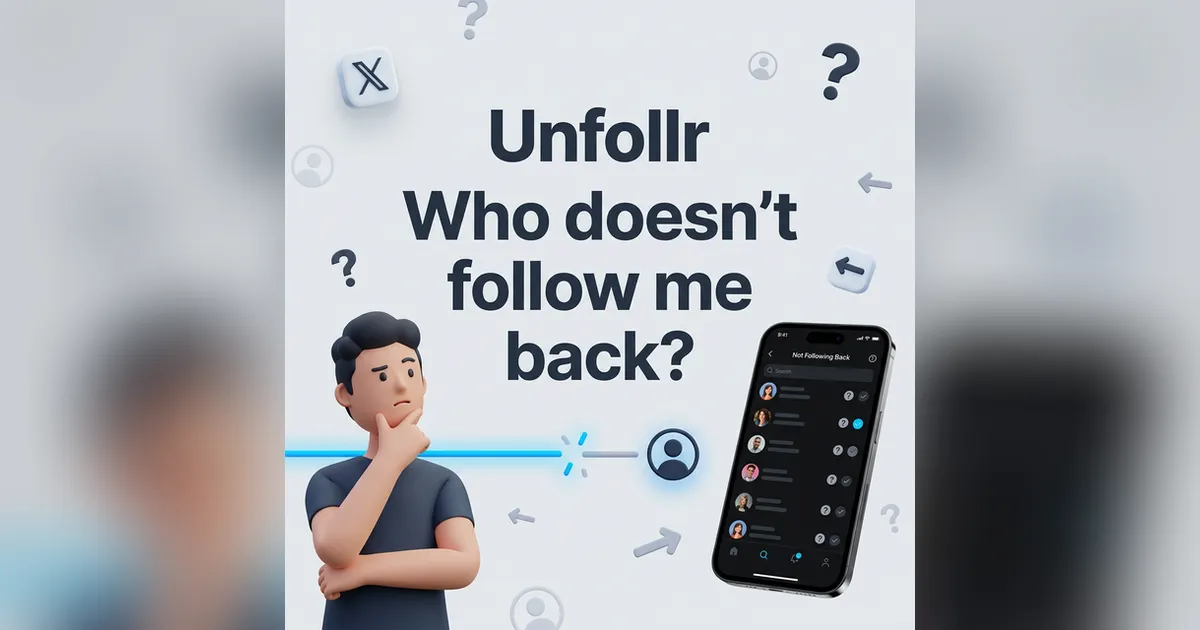
You're following hundreds of people on X, but how many of them actually follow you back? Who doesn't follow me back on Twitter? It's a question most active users ask at some point — and X gives you no easy way to find out.
There's no native feature, no list, no filter. You'd have to check every single profile manually. Fortunately, there are faster ways. This guide covers every method available in 2026, from free browser extensions to web-based tools.
Does X Show Me Who Doesn't Follow Me Back?
No. X has no built-in "non-followers" filter. The only native way to check is visiting each profile in your Following list and looking for the "Follows you" badge. No badge means they don't follow you back. X's official help page on following confirms there's no bulk follower comparison feature.
For an account following 50 people, that's manageable. For an account following 500 or 2,000 — it's not realistic.
That's why third-party tools exist for this exact use case.
Method 1: Use Unfollr (Free, No Login Required)
Unfollr is a browser extension that shows you who doesn't follow you back — directly on X, without connecting your account to any third-party service.
How it works
- Install Unfollr at unfollr.com — available for Chrome, Edge, Brave, Opera, Arc, and all Chromium browsers
- Open x.com and go to your profile
- Click the Unfollr icon in your browser toolbar
- Unfollr scans your followers and following lists, then shows you who doesn't follow you back
The entire process takes under a minute. No OAuth, no account creation, no subscription.
Why Unfollr is the best starting point
- Free — no trial, no premium tier
- Private — your data stays in your browser, never sent to external servers
- Instant — results appear immediately, no waiting for reports
- No account connection — you don't authorize any third-party app
- Also tracks unfollowers — shows who recently stopped following you
If you want to see who recently unfollowed you (not just current non-followers), see How to See Who Unfollowed Me on X Twitter in 2026.
Method 2: Check Manually (The "Follows You" Badge)
The free, no-tools-required approach:
- Go to your profile → Following
- Click on each account
- Look for the "Follows you" label next to their username
- If it's not there — they don't follow you back
When this makes sense: If you follow fewer than 50 accounts and just want to spot-check a few specific people.
When it doesn't: If you follow hundreds or thousands of accounts. The manual approach takes hours and is easy to miss people.
Method 3: Circleboom (Web Dashboard)
Circleboom is a web-based X management platform with a dedicated "Not Following Back" feature.
How to use it
- Sign in with your X account (OAuth required)
- Go to Friends → Not Following Back
- Circleboom displays all accounts you follow that don't follow you back
- Optionally unfollow them directly from the dashboard
Pricing (2026)
- Free — limited preview only
- Pro — $16.99/mo (full non-follower list + unfollow tools)
- Plus — $23.99/mo (2 accounts, up to 100K followers)
Trade-offs
Pros: Web-based, good filtering options (inactive users, egg profiles), official X API partner Cons: Requires OAuth, data on their servers, paid for real use, subject to X API changes. Any tool using the X API must comply with X's Developer Policy
Method 4: Fedica (formerly Tweepsmap)
Fedica offers non-follower detection as part of its broader analytics platform.
How to use it
- Connect your X account via OAuth
- Navigate to the follower insights section
- Fedica identifies accounts that don't follow you back
Pricing
Non-follower features require the Grow plan at $24/mo (annual) or $29/mo (monthly). It's not available on the free tier.
Best for: Social media managers who already use Fedica for multi-platform analytics and want non-follower data as an additional feature.
Why Don't People Follow Me Back?
Understanding the reasons helps you decide whether to unfollow or keep following:
They're a large account
Accounts with 50K+ followers simply can't follow everyone back. If you follow a journalist, celebrity, or industry leader, a follow-back isn't expected.
They didn't notice your follow
X sends a notification when someone follows, but many users ignore follow notifications — especially accounts that get dozens or hundreds daily.
Content mismatch
They checked your profile after you followed them and decided your content wasn't relevant to their interests. This is normal and not personal.
They use follow-unfollow tactics
Some accounts follow you to get a follow-back, then unfollow later. These accounts will show up in your non-follower list. Unfollr helps you spot this pattern — if they recently unfollowed you and you're still following them, that's a clear sign.
For a deeper look at why people unfollow, see Who Unfollowed Me on Twitter? How to Track and Why It Matters.
They're inactive
The account might be abandoned or rarely used. Following inactive accounts clutters your feed without any benefit.
Should I Unfollow People Who Don't Follow Me Back?
It depends on why you're following them:
Unfollow if:
- They're an account you followed hoping for a follow-back, and it didn't happen
- They're inactive (no posts in 3+ months)
- Their content isn't relevant to you anymore
- They used follow-unfollow tactics on you
Keep following if:
- They post content you genuinely enjoy (news sources, industry experts, creators)
- They're a friend or colleague, regardless of reciprocity
- They're an industry leader whose insights you value
- The account is useful for your work
The goal isn't to achieve a perfect 1:1 following-to-follower ratio. It's to ensure your following list serves you — filling your feed with content you actually want to see.
How to Clean Up Non-Followers Safely
If you decide to unfollow non-followers in bulk, follow these safety rules to avoid account restrictions:
- Identify first — use Unfollr to get your full list of non-followers
- Create a keep-list — mark accounts you want to follow regardless of reciprocity
- Unfollow in batches — maximum 100–150 per day
- Space it out — don't unfollow 100 accounts in 10 minutes. Spread them across the day
- Mix with normal activity — like posts, reply to threads, browse normally between unfollows
- Stop if rate-limited — if X shows any warning, pause for 24–48 hours
For a detailed guide on safe mass unfollowing with exact limits, see How to Mass Unfollow on X Twitter in 2026.
Following-to-Follower Ratio: Does It Matter?
Your following-to-follower ratio is a soft credibility signal on X:
| Following | Followers | Ratio | Perception |
|---|---|---|---|
| 200 | 1,000 | 0.2 | Strong — looks like an authority |
| 500 | 500 | 1.0 | Neutral — balanced |
| 2,000 | 500 | 4.0 | Weak — looks like a spam account |
| 5,000 | 200 | 25.0 | Red flag — likely using follow-for-follow |
This isn't an official metric, but people and algorithms notice. A cleaner following list improves your perceived credibility and makes your feed more useful. For a deep dive into what ratios mean and how to improve yours, see our Twitter follower-to-following ratio guide.
Frequently Asked Questions
Is it free to check who doesn't follow me back on X?
Yes — Unfollr shows your non-followers for free. The manual badge-check method is also free but impractical for large accounts.
Can I see non-followers without connecting my X account?
Yes — Unfollr works as a browser extension and reads data from your active X session. No OAuth connection, no account creation, no third-party access.
Will people know if I check who doesn't follow me back?
No. Checking non-followers is completely invisible. X doesn't notify anyone that you viewed their profile or checked their follow status.
How often should I check for non-followers?
Once a month is plenty for most users. If you're actively growing your account and following many new people, a bi-weekly check helps keep your list manageable.
Is it rude to unfollow someone who doesn't follow me back?
No. Following and unfollowing are normal parts of using X. Most people won't notice, and those who do generally understand that following isn't a permanent commitment.
What's the difference between non-followers and unfollowers?
Non-followers are people you follow who have never followed you back (or followed back at some point but you didn't notice when they left). Unfollowers are people who were following you and then stopped. Unfollr tracks both — for a full unfollower tracking guide, see Best Twitter/X Unfollower Trackers in 2026.
The quickest way to find out who doesn't follow you back on X in 2026 is Unfollr — install, scan your profile, and you'll see the full list in seconds. No login, no subscription, no data shared.
Related guides:
- How to Mass Unfollow on X Twitter in 2026 — safely clean up your list after identifying non-followers
- How to See Who Unfollowed Me on X Twitter in 2026 — track who stopped following you
- Who Unfollowed Me on Twitter? How to Track and Why It Matters — the complete picture
- Twitter Follower to Following Ratio — understand what your ratio means
- How to Remove Fake Followers on Twitter — clean up bots dragging down your engagement