How to Remove Fake Followers and Bots on Twitter in 2026
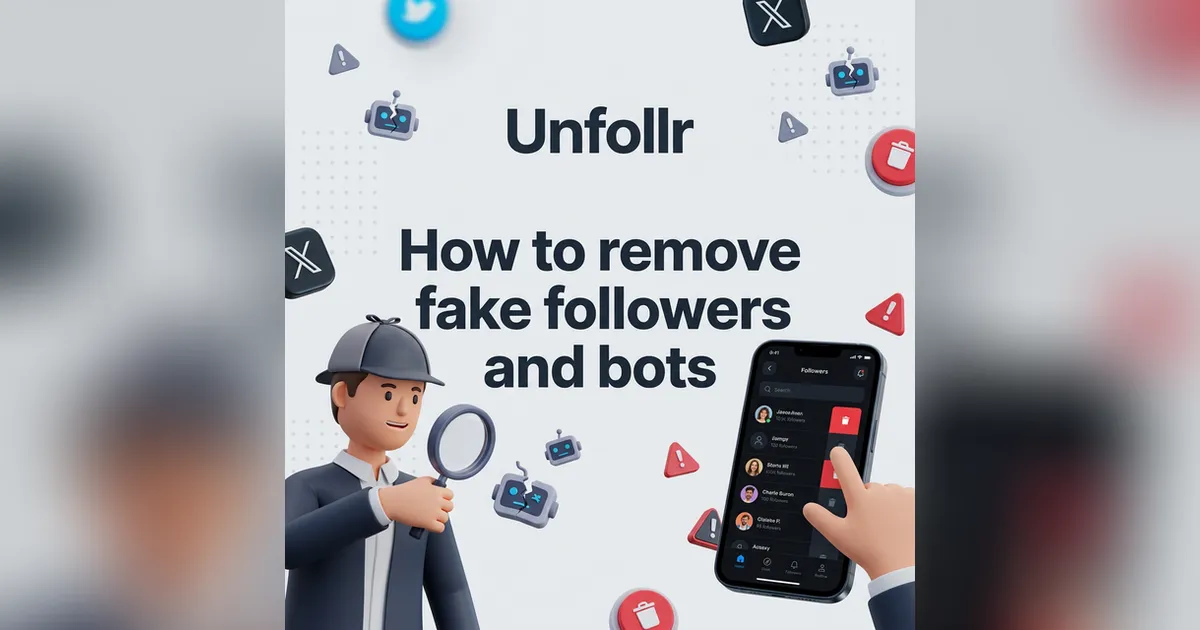
How to Remove Fake Followers and Bots on Twitter
Your follower count looks healthy, but how many of those followers are real? Fake followers and bots on Twitter inflate your numbers while silently destroying your engagement rate. The X algorithm in 2026 rewards accounts with high engagement relative to their audience — and bot followers drag that ratio down.
In October 2025, X removed 1.7 million bot accounts in a single purge targeting reply spam. But plenty of bots still slip through. If you want a clean, credible account with genuine reach, you need to take bot removal into your own hands.
This guide covers everything: how to spot fake followers, the best tools to audit and remove them, and how to keep your account clean going forward.
Why Fake Followers Hurt Your Account
Before diving into removal methods, it's worth understanding exactly why bot followers are a problem — even if they make your follower count look bigger.
Engagement Rate Drops
The X algorithm calculates your engagement rate as interactions divided by impressions. Bot followers don't like, reply, or retweet your content. A larger follower count with the same engagement makes your rate look worse, and the algorithm responds by showing your content to fewer people.
Credibility Takes a Hit
Brands, potential collaborators, and savvy users can spot inflated numbers. An account with 10,000 followers but only 2-3 likes per tweet is an obvious red flag. Tools like FollowerAudit let anyone check your account's bot percentage.
Algorithm Suppression
X's 2026 Grok-powered recommendation system prioritizes content from accounts with genuine, engaged audiences. Accounts with high bot percentages get less algorithmic distribution — the opposite of what you want.
You Might Get Flagged
While having bot followers isn't against X's rules (you can't control who follows you), accounts that purchase followers risk suspension. X's detection systems have improved significantly, and enforcement actions can range from follower count corrections to full account suspension.
How to Identify Fake Followers and Bots
Before you can remove bots, you need to know what to look for. Here are the telltale signs:
Profile Red Flags
- Default or stolen profile photos — no avatar, AI-generated faces, or stock images
- Random character usernames — handles like @xJ7kR9mN2 or long strings of numbers
- Generic or empty bios — "I love life" or completely blank
- Account created very recently with suspiciously high activity
- Location mismatches — bio says "New York" but tweets are in a different language at odd hours
Activity Red Flags
- Zero or very few original tweets — only retweets and replies
- Thousands of followings, very few followers — classic bot pattern
- Identical or templated replies — the same generic response on many different tweets
- Burst activity patterns — hundreds of actions in minutes, then silence for days
- No engagement on their own posts — if they tweet and nobody reacts, they likely have no real audience either
Quick Manual Check
Open your followers list on X, scroll through, and count how many profiles have default avatars or random-string usernames. If more than 10-15% look suspicious, it's time for a proper audit.
Method 1: Remove Followers Manually on X
X now lets you remove followers without blocking them. This is the safest method — no third-party tools, no API access needed.
How to remove a follower on X
- Go to your profile and click Followers
- Find the account you want to remove
- Click the three-dot menu (⋯) next to their name
- Select "Remove this follower"
The account won't be notified. They can still see your public tweets and follow you again later — but most bots don't re-follow after removal.
Limitations
- No bulk option — you can only remove followers one at a time
- Tedious for large cleanups — if you have hundreds of bots, this takes hours
- No detection help — you have to identify bots yourself by scrolling through your list
This method works for small-scale cleanup (5-20 accounts). For anything larger, you need a tool.
Method 2: Use Unfollr to Spot Suspicious Followers
Unfollr is a free browser extension designed for follower analysis. While its primary feature is tracking who unfollowed you, its snapshot comparison system is excellent for spotting suspicious follower activity.
How Unfollr helps with bot detection
- Install Unfollr from unfollr.com — works on Chrome, Edge, Brave, Opera, Arc, and all Chromium browsers
- Take a follower snapshot on X
- Monitor over time — when batches of suspicious accounts suddenly follow you (10-50 new followers overnight with bot-like profiles), Unfollr's snapshot comparison flags them immediately
- Identify patterns — regular snapshots reveal bot waves vs. organic growth
Why this approach works
Bots tend to follow in waves. You'll notice 20-30 new followers appearing overnight, all with similar account ages and activity patterns. Unfollr's snapshot system makes these waves visible, so you can remove them before they accumulate.
For a full comparison of follower tracking tools, see our Best Twitter/X Unfollower Trackers in 2026.
Key advantage: Unfollr requires no OAuth connection — your data never leaves your browser. This is critical for security-conscious users, especially when dealing with bot-related account cleanup.
Method 3: Use a Dedicated Bot Audit Tool
For a thorough one-time audit, dedicated tools scan your entire follower list and classify accounts by quality.
FollowerAudit
FollowerAudit analyzes your followers and assigns quality scores:
- Free plan: audit accounts with up to 5,000 followers
- Paid plans: from $39.99/month for larger accounts
- Reports include: bot percentage, inactive followers, fake account detection
- Requires OAuth — you must connect your X account
Circleboom
Circleboom is an official X partner with robust follower filtering:
- Filter followers by engagement level, account age, activity, and spam signals
- Identify and act on fake/inactive accounts from a single dashboard
- Pricing: from $44.99/month
- Requires OAuth
Fedica (formerly Tweepsmap)
Fedica includes a Follower Quality Audit:
- Classifies followers as high-quality, mid-quality, low-quality, or fake
- Bot detection scoring for each follower
- Free tier available with limited features; paid from $14/month
- Requires OAuth
X Bot Remover (Chrome Extension)
A Chrome extension that automates bot removal using adjustable rules to identify bots. It works directly in your browser but uses more aggressive automation — use with caution, as X may flag rapid automated actions.
Method 4: The Block-Unblock Technique
If "Remove this follower" isn't available (some users on older app versions), the classic workaround still works:
- Block the bot account
- Immediately unblock them
Blocking forces an automatic unfollow. Unblocking restores normal access. The bot is removed from your followers without a permanent block.
Note: This is more aggressive than the "Remove this follower" option. Use it only when the native removal feature isn't available.
How Many Fake Followers Is Normal?
Don't panic if an audit tool shows a bot percentage above zero. Here are typical ranges:
| Account Size | Typical Bot % | Concern Threshold |
|---|---|---|
| Under 1,000 followers | 5-10% | Above 15% |
| 1,000-10,000 | 8-15% | Above 20% |
| 10,000-100,000 | 10-20% | Above 25% |
| 100,000+ | 15-25% | Above 30% |
Some level of bot following is unavoidable — bots follow accounts randomly as part of their behavior. The goal isn't zero bots; it's keeping the percentage manageable so your engagement rate stays healthy.
A Safe Bot Cleanup Workflow
Here's the recommended step-by-step process for a thorough cleanup:
Step 1: Audit First
Run your account through FollowerAudit or Fedica to get a baseline bot percentage. This tells you how big the problem is.
Step 2: Set Up Monitoring
Install Unfollr and take your first follower snapshot. This gives you a baseline to track changes after cleanup.
Step 3: Remove in Batches
Remove 20-50 bot accounts per day using X's native "Remove this follower" feature. Don't rush — removing hundreds in an hour could trigger X's automated abuse detection.
Step 4: Re-Audit
After completing your cleanup, run the audit again to verify your bot percentage dropped. Compare your Unfollr snapshots to see the net change.
Step 5: Monitor Ongoing
Take Unfollr snapshots weekly. When you notice sudden follower spikes from suspicious accounts, remove them immediately before they accumulate.
How to Prevent Bot Followers
Complete prevention is impossible, but you can reduce bot attraction:
- Don't buy followers — this is the #1 source of bot followers, and purchased followers attract more bots
- Don't use follow-for-follow services — these are bot magnets
- Be cautious with automated DMs — bots often target accounts that send auto-DMs
- Report obvious bots — reporting helps X improve their detection systems
- Keep your account secure — enable two-factor authentication to prevent your account from being used in bot networks
What Happens to Your Account After Cleanup
After removing a significant number of bot followers, you'll notice:
- Follower count drops — this is expected and healthy. If you're worried about sudden drops, read our guide on why you might lose followers on Twitter
- Engagement rate improves — fewer ghost followers means a better ratio of real interactions to audience size
- Algorithm boost — X's algorithm notices the improved engagement rate and distributes your content more widely
- More accurate analytics — your growth metrics now reflect real audience building
The short-term number drop is worth the long-term account health. A clean account with 5,000 real followers outperforms an inflated account with 15,000 followers where two-thirds are bots.
Bot Removal vs. Account Cleanup
Removing fake followers is one piece of a larger account hygiene puzzle. For a comprehensive cleanup — including unfollowing inactive accounts, deleting old tweets, and revoking app permissions — check our complete Twitter account cleanup guide.
If you also want to trim your following list by removing accounts that don't follow you back, or need to mass unfollow safely, we have detailed guides for those too.
FAQ
Can I get suspended for removing bot followers?
No. Removing followers using X's native "Remove this follower" feature is completely safe. However, using aggressive third-party automation tools that perform hundreds of actions per minute could trigger rate limits or account restrictions.
Will bots come back after I remove them?
Most bots don't re-follow after being removed. However, new bots may follow you over time — that's why ongoing monitoring with a tool like Unfollr is important.
Should I block or remove bot followers?
Use "Remove this follower" when possible — it's less aggressive than blocking and achieves the same result. Reserve blocking for bots that are actively spamming your replies or DMs.
How often should I audit my followers?
A full audit every 3-6 months is sufficient for most accounts. Between audits, use Unfollr snapshots to monitor for sudden suspicious follower spikes.
Do fake followers affect my reach on X?
Yes. X's algorithm uses engagement rate as a key signal. Bot followers inflate your audience size without contributing engagement, which lowers your rate and reduces algorithmic distribution of your content.
Final Thoughts
Fake followers are an inevitable part of using X/Twitter, but they don't have to damage your account. A combination of periodic audits, X's native removal tools, and ongoing monitoring with Unfollr keeps your follower list clean and your engagement rate healthy.
Start with an audit to understand your current bot percentage, clean up in safe daily batches, and set up Unfollr for ongoing monitoring. Your account — and the algorithm — will reward you for it.