Twitter Action Blocked? How to Fix It in 2026
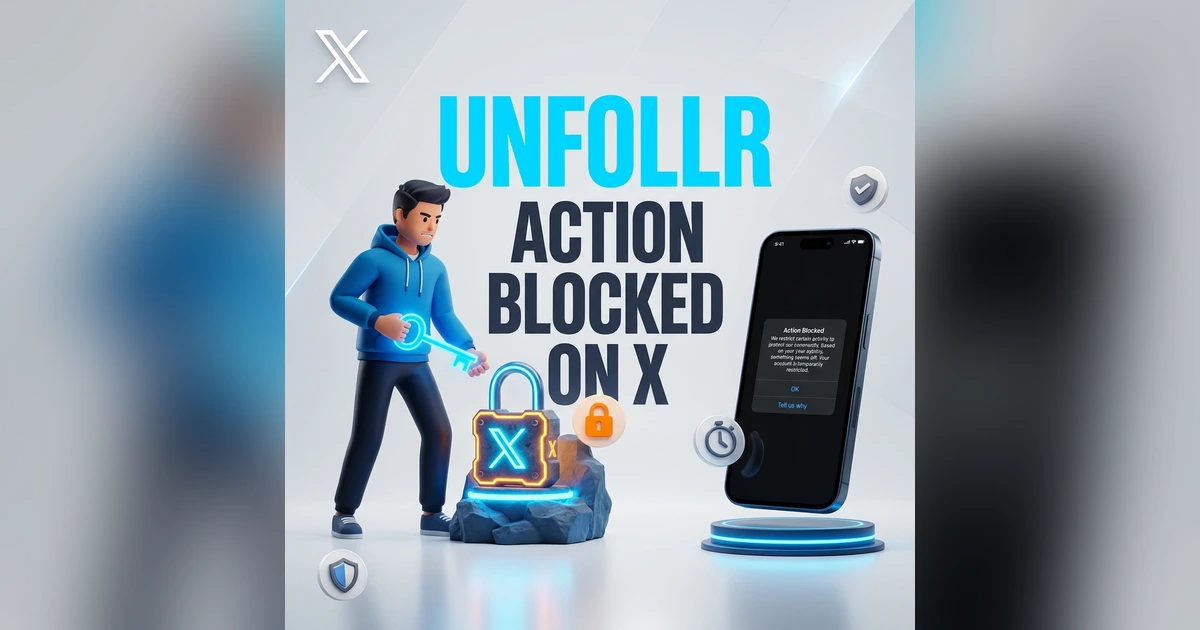
You try to follow someone, like a post, or send a tweet and X stops you cold: "You are unable to perform this action" or "Action blocked." A Twitter action blocked message means X has temporarily restricted a specific action because something about your activity tripped its automated abuse-prevention systems. It is almost always temporary, it is rarely a full suspension, and in most cases it clears on its own within a window of minutes to a day.
This guide explains exactly what triggers an action block in 2026, how to tell it apart from a rate limit or a suspension, and the step-by-step fixes that get you back to normal — on web, iPhone, and Android.
What "Action Blocked" Actually Means on X
An action block is a targeted, temporary restriction on one type of activity — usually following, unfollowing, liking, reposting, or posting — while the rest of your account keeps working. X applies it automatically when your behavior pattern looks like spam or automation, even if you are a real person doing things by hand too quickly.
The key distinction:
- Action block — one specific action is disabled ("you are unable to perform this action"). The rest of the app works.
- Rate limit — you hit a numeric cap (reads, likes, follows) for a time window. See our guide on Twitter rate limit exceeded for the current caps.
- Account lock — X asks you to verify a phone number or solve a CAPTCHA before you can do anything. See Twitter account locked.
- Suspension — the account is fully restricted and you usually get an email. See how to fix a suspended account.
Action blocks sit at the mild end of that spectrum.
Why Did Twitter Block My Action?
X does not publish the exact thresholds, but the consistent triggers in 2026 are:
- Following or unfollowing too fast — the single most common cause. Mass follow/unfollow sprees look automated.
- Liking or reposting in rapid bursts — tapping the heart on dozens of posts in a minute.
- Posting the same content repeatedly — duplicate tweets, identical replies, or copy-pasted links.
- Aggressive replying or DMing — sending the same message to many accounts.
- A flagged or new account — brand-new accounts and accounts with prior warnings have tighter limits.
- Connected third-party automation — a scheduler or growth tool acting through your account.
- A shared or VPN IP address that other rule-breakers have used.
The common thread is velocity and repetition. X's systems care less about the total number and more about how fast and how mechanically you did it.
How to Fix a Twitter Action Block
Work through these in order. Most blocks clear with steps 1–2 alone.
1. Stop and Wait
This is the real fix. Action blocks are time-based, so the worst thing you can do is keep retrying — repeated attempts during a block can extend it. Close the app, step away, and give it time:
| Block severity | Typical duration |
|---|---|
| First, mild block | A few minutes to ~1 hour |
| Repeat or faster activity | A few hours |
| Persistent/aggressive pattern | Up to 24 hours |
| Tied to an account lock | Until you verify (phone/CAPTCHA) |
2. Stop the Behavior That Triggered It
Once the block lifts, do not jump straight back into the same pattern. If you were mass-following, slow down dramatically. If you were posting duplicates, vary your content. Resuming the exact behavior re-triggers the block almost instantly and trains X's system to treat your account more harshly.
3. Check for a Verification Prompt
Sometimes "action blocked" is actually the front door to an account lock. If X shows a prompt to confirm your phone number or solve a reCAPTCHA, complete it — the action unlocks once you pass. The mobile app sometimes shows a working verification flow when the web version is stuck, so switch platforms if the button is unresponsive.
4. Disconnect Third-Party Automation
If a connected app is performing actions on your behalf, it can keep tripping the block in the background. Go to Settings → Security and account access → Apps and sessions → Connected apps and revoke anything you do not recognize or actively use. X explains the process in its guide to connecting and revoking access to third-party apps.
5. Clear Cache or Switch Platform
A stale session can make a lifted block look like it is still active. Clear cookies and cache for x.com, or switch between the web app and the mobile app — they track some state independently.
6. Drop the VPN or Proxy
A VPN can route you through an IP that X has flagged for abuse, which raises your odds of being blocked. Turn it off and reconnect on your normal network.
How to Avoid Getting Action Blocked Again
Action blocks are preventable once you understand the velocity rules. The fix is pacing:
- Following/unfollowing: keep it to roughly 30–50 per hour, well under the daily follow limits. If you are cleaning up your list, run a mass unfollow over several days, not one session.
- Liking: no more than ~40–50 per hour.
- Posting: avoid duplicate tweets and identical replies; X treats repetition as spam.
- DMs: do not send the same message to many people in a row.
- Stay within the X Rules. Most action blocks are X enforcing the X Rules against spam and platform manipulation; staying on the right side of them keeps your account clear.
If you are unfollowing in bulk because your following list is full of non-followers and inactive accounts, a smarter approach beats brute force. A follower-tracking browser extension like Unfollr reads your follower data from the X page already open in your own browser session — no password and no OAuth — so you can build a precise list of who to remove and pace it out instead of mass-clicking and tripping a block.
When an Action Block Means Something More Serious
If the block does not lift after 24 hours, or it spreads to every action, you may be dealing with more than a velocity restriction:
- Everything is blocked plus a verification screen? That is an account lock, not a simple action block.
- You got an email about a violation? The account may be suspended — see how to get unsuspended.
- Your reach dropped at the same time? That is a separate issue; check whether you are shadowbanned on Twitter.
FAQ
How long does a Twitter action block last?
Most first-time, mild action blocks clear within a few minutes to an hour. Repeat or faster activity can extend it to several hours, and persistent aggressive behavior can push it to 24 hours. If it is tied to an account lock, it lasts until you complete phone or CAPTCHA verification.
Why am I unable to perform this action on X?
X has temporarily restricted that specific action because your activity looked automated or spammy — usually following, unfollowing, liking, or posting too fast or too repetitively. It is a targeted, temporary block, not a suspension.
Is an action block the same as being banned?
No. An action block disables one type of action while the rest of your account works normally. A ban or suspension restricts the entire account and usually comes with an email. An action block is far milder and almost always temporary.
Will retrying make the action block go away faster?
No — it does the opposite. Repeatedly attempting the blocked action while the restriction is active can extend the block and flag your account for tighter limits. Stop, wait it out, and resume slowly.
Can a third-party app cause an action block?
Yes. A connected scheduler, growth tool, or automation app acting through your account can trip an action block, sometimes repeatedly in the background. Revoke apps you do not use under Settings → Security and account access → Apps and sessions.
Does an action block hurt my account or reach?
A single occasional block does not affect your standing. But repeatedly triggering blocks through aggressive or automated behavior can flag your account for platform manipulation, which may reduce your algorithmic reach over time.