Instagram Suggested for You Explained (2026)
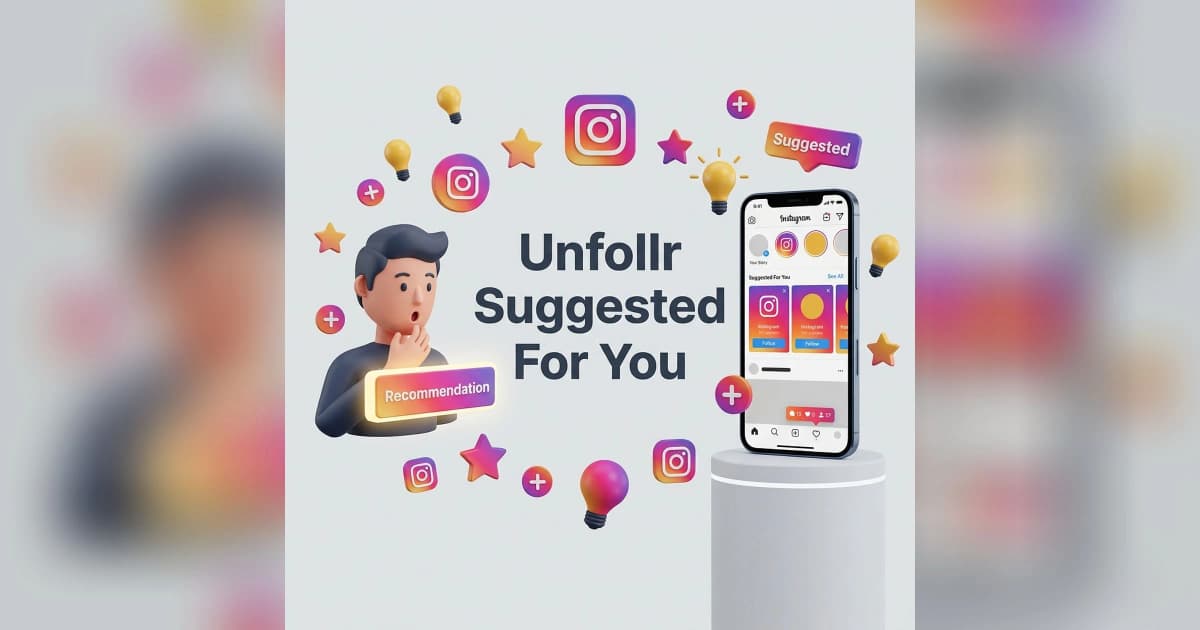
Instagram Suggested for You in 2026 is the algorithmic content Instagram inserts into your feed from accounts you don't follow — and you can't fully turn it off, but you CAN snooze it for 30 days, mark individual posts "Not Interested," and reset your interest signals to retrain it. Suggested posts now make up roughly 40-60% of the typical user's feed, which is why so many people feel like Instagram has stopped showing them their friends.
This guide covers exactly how Suggested for You works, every method to control it, and how to retrain Instagram when your feed has drifted away from what you actually want.
What Instagram Suggested for You Actually Is
Suggested for You is Instagram's recommendation system for showing you content from accounts you don't follow. It pulls from Reels, posts, and carousels across the entire platform and inserts them into your feed based on what Instagram thinks you'll engage with.
How the Suggested Algorithm Works
The algorithm uses these signals:
- Accounts you DO follow — and their content patterns
- Posts you've liked, saved, or shared
- Time spent on individual posts (the dwell time signal)
- Reels you've watched to completion
- Hashtags and topics you interact with
- Accounts similar to ones you follow
- Trending content in your geography
- DM and Story interaction patterns
Instagram weighs these signals together and surfaces what it predicts you'll engage with. For the full algorithm breakdown, see our how Instagram algorithm works guide.
Why Suggested Content Is Everywhere Now
In 2026, Suggested posts make up 40-60% of the average feed — much higher than in 2022-2023. This is intentional. Meta is competing with TikTok, and TikTok's discovery-first model proved that users will engage more with algorithmic recommendations than chronological friend feeds.
You're not imagining it. Your feed really is mostly suggested content now.
How to Snooze Suggested Posts (The Best Available Option)
Instagram added a "Snooze suggested posts" option in 2023 that pauses suggested content in your feed for 30 days.
How to Snooze
- Find any Suggested for You post in your feed
- Tap the three-dot menu in the top right of the post
- Tap Snooze suggested posts in feed for 30 days
- Your feed will only show posts from people you follow for 30 days
- After 30 days, suggested posts return automatically
Pros and Cons of Snoozing
Pros:
- Cleanest available option
- Genuinely shows only followed accounts
- Free, no hacks needed
Cons:
- Only lasts 30 days (you have to renew)
- No permanent setting
- Doesn't affect Reels tab or Explore page
This is the closest thing to "turning off" Suggested for You that Instagram offers in 2026.
How to Mark Individual Suggestions "Not Interested"
For permanent retraining, mark unwanted suggestions as Not Interested.
Steps
- Tap the three-dot menu on a Suggested post
- Tap Not interested
- Optionally tap Why am I seeing this? to see the signals that surfaced it
Each Not Interested tap retrains the algorithm slightly. Do this consistently for a few weeks and your Suggested feed will shift noticeably.
What Counts as a Strong Negative Signal
- "Not interested" tap
- Quickly scrolling past (low dwell time)
- Hiding the post
- Reporting the post
What Counts as a Strong Positive Signal
- Watching Reels to completion
- Saving the post
- Sharing the post
- Long dwell time
- Liking, commenting
To shift your feed, do MORE of the negative signals on bad content and MORE of the positive signals on good content.
How to Reset Your Interest Signals
If your feed has drifted badly, Instagram lets you reset content recommendations entirely.
Steps to Reset
- Go to Profile → Menu → Settings and privacy
- Tap Content preferences (or Suggested content)
- Tap Reset suggested content
- Confirm
This wipes Instagram's learned preferences across Explore, Reels, and your Feed. It does NOT wipe your follow list or saved posts — only the recommendation signals.
When to Reset
- Your feed is full of content you've never wanted
- You accidentally watched something off-topic for too long
- You're sharing your account (or recovering from someone else using it)
- After a long break and your interests have changed
The reset is dramatic. Expect 1-2 weeks of "untrained" suggestions before the algorithm relearns.
Why You Can't Fully Disable Suggested for You
Instagram does not offer a permanent "disable suggestions" toggle. Here's why.
Meta's Business Model
- Suggested posts surface content from creators trying to grow → drives ad spend
- Suggested posts are how new creators get discovered → keeps the creator pipeline alive
- Suggested posts increase total time-in-app → competes with TikTok
Removing suggestions entirely would tank Meta's metrics. They're not going to do it. The 30-day snooze is the maximum compromise.
What's Possible vs. What Isn't
| Action | Possible? |
|---|---|
| Snooze for 30 days | ✅ Yes |
| Mark individual posts Not Interested | ✅ Yes |
| Reset interest signals | ✅ Yes |
| Disable Reels suggestions in feed | ❌ No |
| Disable Explore page | ❌ No |
| Permanently turn off Suggested for You | ❌ No |
| Hide topics or hashtags | ⚠️ Partial (some hashtags only) |
How to Get a Cleaner Feed Long-Term
Since you can't kill Suggested for You, the next best thing is shaping it to surface content you actually want.
Steps to a Cleaner Feed
- Snooze suggested posts every 30 days as a baseline
- Mark every off-topic post Not Interested consistently
- Engage heavily with content you DO want — likes, saves, shares
- Unfollow inactive accounts that contribute nothing to your signal mix
- Use Close Friends for tighter audience interactions
- Audit your follows quarterly
For the cleanup angle, see our how to clean up Instagram account guide and our Instagram ghost followers guide.
How Audience Quality Affects Your Suggestions
The accounts you follow shape your suggestions. If half your follows are inactive bots or accounts you forgot about, Instagram's signals about "what you like" are noisy. Cleaning up your follow list isn't just hygiene — it's algorithm tuning.
A tracker like Unfollr makes that review faster: it reads your official Instagram data export and lists the accounts you follow that don't follow you back, plus who unfollowed you between exports. That gives you a short list to go through instead of scrolling your whole following list, and a leaner follow list gives the algorithm cleaner signals to learn from.
For more on follower quality, see our how to remove fake followers guide.
Common Mistakes People Make With Suggested Posts
Engaging With Bad Suggestions Out of Curiosity
Every "let me just see what this is" tap teaches Instagram to show you more of it. If you're doom-scrolling content you hate, you're training the algorithm to give you more.
Never Marking Anything Not Interested
Most users never use the Not Interested option. It's the single most powerful retraining signal — use it liberally.
Letting the 30-Day Snooze Lapse
Set a calendar reminder. Renewing the snooze is the cleanest baseline you can have.
Blaming the Algorithm Without Resetting
If your feed has been bad for months, just reset it. The reset works — most users have never tried it.
Following Accounts Just to Suppress Suggestions
Following more accounts doesn't reduce suggestions. It just adds noise. Less is more.
How Suggested Content Affects Creators
If you're on the creator side, Suggested for You is the single largest driver of new follower growth in 2026. Most new follows now come from suggested feed placements, not from search or hashtags.
Optimizing for Suggested:
- Reels first — they get the most suggested distribution
- Strong hooks — first 1-2 seconds determine watch time
- Save-worthy content — saves are the strongest positive signal
- Niche consistency — Instagram needs to know what you're "about"
For more growth tactics, see our how to grow Instagram following guide, our Instagram Reels tips guide, and our how to go viral on Instagram Reels guide.
Suggested for You vs. Explore vs. Reels Tab
These three surfaces all use related but distinct algorithms.
| Surface | Source | Snoozable? | Skippable? |
|---|---|---|---|
| Suggested for You | Inserted into main feed | Yes (30 days) | No |
| Explore page | Dedicated tab | No | Yes (don't tap) |
| Reels tab | Dedicated tab | No | Yes (don't tap) |
| Stories suggestions | End of Stories tray | No | Mostly yes |
The only one you can directly suppress is Suggested for You in the feed. The others you control by simply not visiting them.
Reference
For Instagram's official documentation, see the Help Center guides to hiding suggested posts in your Feed and resetting your suggested content. For how ranking and the 30-day snooze work, see Instagram Ranking Explained on the About Instagram blog.
FAQ
How do I turn off Suggested for You on Instagram?
You can't fully turn it off, but you can snooze it for 30 days from any Suggested post (three-dot menu → Snooze suggested posts). You can also mark individual posts Not Interested for permanent retraining.
What is "Suggested for You" on Instagram?
Suggested for You is content from accounts you don't follow that Instagram inserts into your feed based on your interaction patterns. It now makes up 40-60% of the average user's feed.
How do I reset Instagram's suggested content?
Go to Settings and privacy → Content preferences → Reset suggested content. This wipes Instagram's learned recommendation signals without affecting your follows or saved posts.
Why am I seeing weird Suggested posts on Instagram?
Your interaction signals are noisy. This usually happens after watching off-topic Reels, after a long break, or when your follow list contains many inactive or unrelated accounts. Mark Not Interested aggressively or do a full reset.
Does following more accounts reduce Suggested posts?
No. The ratio of Suggested vs. followed content is set by Instagram, not by your follow count. Following more accounts just adds noise to your signals.
How long does the 30-day Suggested Snooze last?
Exactly 30 days. After that, suggested posts return automatically. There is no permanent setting — you have to renew the snooze every month.
Final Thoughts
You can't kill Suggested for You in 2026, but you can shape it. The 30-day snooze is the single most useful tool — set a calendar reminder and renew it monthly. Beyond that, mark unwanted posts Not Interested aggressively, reset the algorithm every few months if needed, and clean up your follow list so the signals Instagram learns from are accurate.
Most users never use any of these tools and then complain that their feed is full of stuff they don't want. Use the tools — they actually work. And if you want to keep your follow list clean (which directly improves the signals Suggested for You learns from), a tracker like Unfollr reads your official data export and shows who you follow that doesn't follow you back, so you can prune your list without guessing.