Instagram Limited Reach: Political Content (2026)
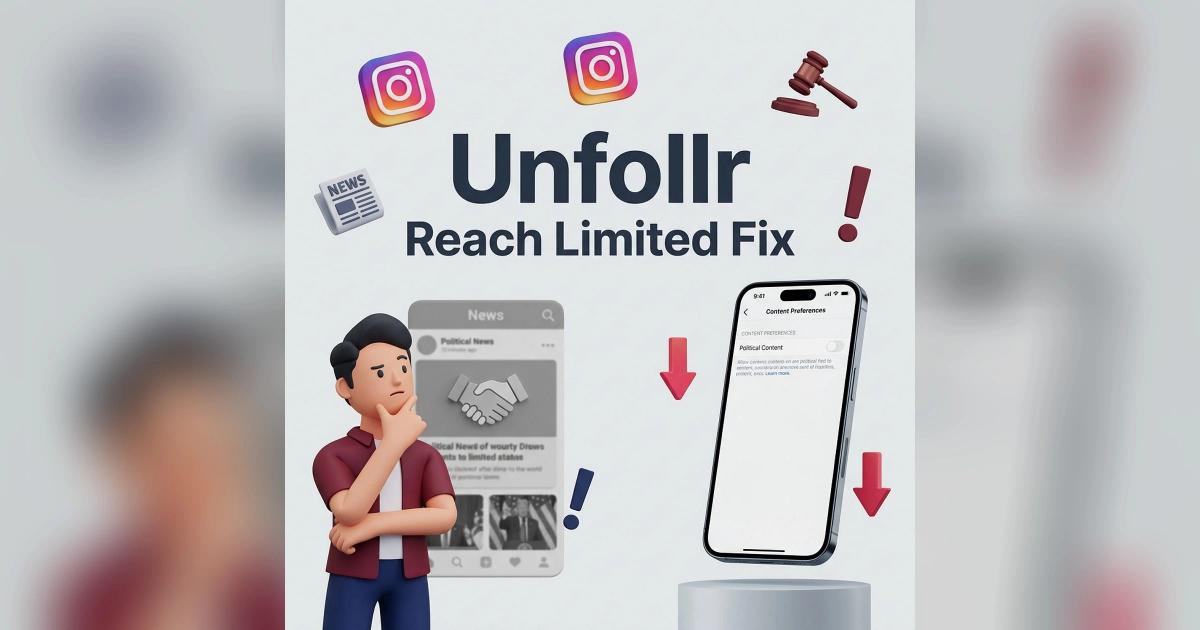
Instagram limits reach for political content in 2026 via a recommendation filter that Meta rolled out in early 2024. Viewers have it set to "Limit" by default and have to opt in to see more political content from accounts they don't follow. If your account discusses politics, social issues, or news, Instagram's algorithm reduces how often your posts appear in Reels, Explore, and Suggested for You — even to people who would otherwise be interested. This affects non-follower distribution but not how your existing followers see you. You can partially opt out in Settings, but accounts auto-classified as political have limited control.
This guide covers exactly how Instagram's limited reach political content filter works, how to tell if your account is affected, and what to do about it.
What Instagram's Political Content Filter Actually Does
In February 2024, Meta announced that Instagram and Threads would stop "proactively recommending political content" to users who don't follow accounts that post it. In January 2025, Meta said it would start adding some political content back to recommendations and give people more control, but the "Political content" setting is still there, defaults to "Limit", and isn't available in every country.
How It Works
- Meta classifies accounts and individual posts as "political" based on content signals
- Classified content is excluded from recommendation surfaces (Reels feed for non-followers, Explore, Suggested for You)
- Existing followers still see your posts normally (in theory)
- Users can opt IN to seeing political recommendations via Settings
- Users are opted OUT by default
What Counts as "Political"
Meta's definition is broad and vague:
- Elections, candidates, political parties
- Social issues (race, gender, immigration, climate, abortion)
- News about government or policy
- Activism and advocacy
- Commentary on current events
- Historical content about political figures
A single post can tip Meta's classifier. Once classified, your non-follower distribution drops dramatically.
How to Tell If You've Been Hit
The signs are specific and distinct from other reach drops.
The Telltale Pattern
- Follower reach stayed roughly the same
- Non-follower reach collapsed (Explore, Reels feed, Suggested)
- Profile visits from non-followers dropped sharply
- New follower rate dropped
- No specific post triggered it — it was a gradual decline
This profile is different from a shadowban (which hits everything) or algorithm downranking (which hits followers too).
How to Confirm in Insights
- Open Insights → Overview → Accounts reached
- Look at the "Followers vs Non-followers" split
- If the non-follower percentage dropped below 20%, you're likely filtered
- Compare to 6 months ago if possible
A healthy account with viral potential should see 40-70% of reach from non-followers. Under 20% is a strong political-filter signal.
For broader reach diagnosis, see our Instagram reach dropped guide and our Instagram not showing my posts to followers guide.
How to Check Your Account Status
Instagram doesn't tell you directly if your account is classified as political. But you can check your viewer-side settings to see what Meta considers political.
Check Your Own Political Content Setting
- Open Settings → Content preferences → Political content
- You'll see two options: Don't limit or Limit
- This setting controls what YOU see, not what others see of your content
The Account Classification Is Hidden
Unfortunately, Meta does not expose whether YOUR account is classified as political. There's no "your content has been marked political" notice. You have to infer from reach patterns.
Workaround: Ask a Friend
Have a friend who doesn't follow you check their Reels feed or Explore for your content. If they normally would see similar content but never see yours, you're likely filtered.
How to Reduce the Impact
If you're affected, there are several paths to recover reach.
Path 1: Diversify Your Content
Post a mix of political and non-political content. Lifestyle, behind-the-scenes, humor, personal — anything that dilutes your political classification.
- Aim for 30-40% political, 60-70% non-political
- Space political posts out (not back-to-back)
- Use different formats (Reels, carousels, Stories) for non-political
Path 2: Avoid Flagged Keywords
Meta's classifier is keyword-heavy. Common triggers:
- Party names (Democratic, Republican, Labour, Conservative)
- Candidate names
- Election, campaign, vote
- Policy names
- Protest, march, activism
- Social-issue terminology
Use these sparingly in captions. Consider discussing topics with less flagged language.
Path 3: Let Your Account "Cool Off"
Meta's classifier is stateful. If you post non-political content for 4-6 weeks, your classification softens. This is slow but works.
Path 4: Shift to Private or Broadcast
If your audience is primarily followers anyway, shift to formats that don't rely on non-follower reach:
- Broadcast Channels for news to opted-in fans
- Stories with Close Friends for commentary
- Newsletter via bio link for long-form
For more, see our Instagram broadcast channels guide and our Instagram close friends guide.
What Definitely Does NOT Work
Buying Followers
Classic mistake. Bots tank engagement and make the algorithm hide you further. For why, see our how to remove fake followers guide.
Deleting Political Posts
Deleting old posts doesn't reset your classification. Meta's signals are based on content history that's retained even after deletion.
Creating a New Account
You start from zero with the same root behavior. If you keep posting political content, the new account gets classified too — usually faster than the original.
Complaining in Captions
Asking followers to "turn off the political filter" sounds proactive but does nothing for your algorithmic reach. Most followers already see you normally.
Using Third-Party "Boost" Tools
Every tool claiming to bypass Instagram's filters is a scam, an automation risk, or both. For safety, see our Instagram automation rules guide.
What Meta Actually Says
Meta's 2024 announcement said the filter is about "proactive recommendations" only — meaning content that Instagram actively pushes to non-followers via Reels and Explore. Meta explicitly stated that followers would continue to see political posts normally.
In practice, some creators report that follower reach also dropped. Whether that's the political filter or a separate algorithm change is unclear. Meta has not issued additional transparency.
How to Measure Recovery
If you're working to escape the filter, track these metrics weekly.
Key Metrics
| Metric | Target for Recovery |
|---|---|
| Non-follower reach % | Back above 30% |
| Explore reach | Returning |
| Reels views from non-followers | Rising |
| New follows per post | Rising |
| Profile visits from non-followers | Rising |
The Hard Part
Follower-level engagement data is hard to see natively. Instagram's Insights aggregates everything. A tracker like Unfollr won't show who engages with your posts, but it does show exactly who followed and who unfollowed you between two snapshots, so you can tell whether new follows per post are really coming back. It works from your official Instagram data export, with no password and no scraping.
For more, see our Instagram engagement rate calculator guide and our track Instagram follower growth over time guide.
Is This Fair? Debate Context
The political content filter is controversial. Here's the quick context.
Meta's Position
- Many users don't want political content in their recommendations
- Recommending political content risks polarization and misinformation
- The filter is opt-in, giving users control
Creator Pushback
- The limit is on by default, and most people never change default settings
- Meta's definition of "political" is broad and inconsistent
- Independent journalists, activists, and educators get caught in the filter
- There's no appeal process for misclassification
In 2025-26, several creator groups have called for more transparency. Meta has not committed to changes.
Common Mistakes When Dealing With This
Assuming It's a Shadowban
Political filtering and shadowbans look similar but are distinct. A shadowban hits ALL non-follower surfaces including hashtags. The political filter hits recommendations specifically. For shadowban diagnosis, see our Instagram shadowban guide.
Ignoring Follower-Side Health
Even if non-follower reach collapses, your existing followers are still valuable. Focus on serving them well while you work on classification recovery.
Chasing Viral Non-Political Content
Don't abandon your niche. Diversify, but don't pivot entirely. Authenticity wins long-term.
Comparing to Non-Political Accounts
Non-political creators' reach numbers aren't your benchmark. Compare your account to its own past, not to others.
Reference
For Meta's official announcement on political content recommendations, see Instagram's post Continuing our Approach to Political Content on Instagram and Threads. For the full transparency policy, see the Meta Transparency Center.
FAQ
Does Instagram limit reach for political content?
Yes. Since 2024, Meta excludes classified political content from recommendation surfaces (Reels feed for non-followers, Explore, Suggested for You) by default. Users must opt in to see political recommendations.
How do I know if my Instagram account is flagged as political?
Instagram doesn't tell you directly. Infer from Insights: if non-follower reach dropped sharply without a shadowban pattern, and your content touches politics or social issues, you're likely classified.
Can I opt out of Instagram's political content filter?
You can opt out of seeing the filter in your own feed via Settings → Content preferences → Political content. But you cannot opt your account out of being classified — only adjust your content to reduce classification.
Will existing followers still see my political posts?
Meta says yes. In practice, some creators report follower-side drops too, but the main impact is non-follower recommendation surfaces.
How long does it take to recover from political classification?
4-8 weeks of diversified, mostly non-political content typically softens the classification. There's no hard reset.
Is the political content filter a shadowban?
No. A shadowban hides all non-follower distribution including hashtags. The political filter specifically affects recommendation surfaces. They look similar but are different systems.
Final Thoughts
Instagram's political content filter is one of the least transparent and most frustrating algorithm decisions Meta has made. If you're affected, the recovery path is long but real: diversify your content, reduce flagged keywords, let the classification cool off, and shift weight to follower-direct formats like Broadcast Channels and Close Friends.
Most importantly, measure. Gut feel on reach is worthless — you need clean data on what's actually happening with your audience. A tracker like Unfollr reads your official Instagram data export and shows your new followers and unfollows by name, so you can tell whether your recovery work is bringing in real people or just shifting numbers.